 xdexygnr@gmail.com
Introduction: The Hidden Cost of the Traditional Ticket Window
Picture a Saturday evening at a mid-sized entertainment venue. Three staff members manage six ticket windows. A line of forty people snakes through the lobby. Two customers give up and leave. One cashier makes a pricing error that requires a supervisor override. The shift runs fifteen minutes of overtime.
This scene plays out thousands of times daily across sports arenas, amusement parks, transit hubs, cinemas, and museums. And while it looks like a staffing problem on the surface, it is actually a revenue architecture problem at its core.
The good news is that the solution has matured significantly over the past decade. Self-service ticketing kiosks have moved from experimental pilots to proven operational infrastructure. Venues that have deployed them are reporting measurable reductions in labor expenditure, dramatic drops in average transaction time, and — perhaps most surprisingly — meaningful increases in per-customer spend.
This article gives you a complete, data-grounded look at the real return on investment behind self-service ticketing kiosks. Whether you manage a theme park, a transit authority, a stadium, or a multiplex, understanding this technology through a business lens will help you make a better capital decision.
What Are Self-Service Ticketing Kiosks?
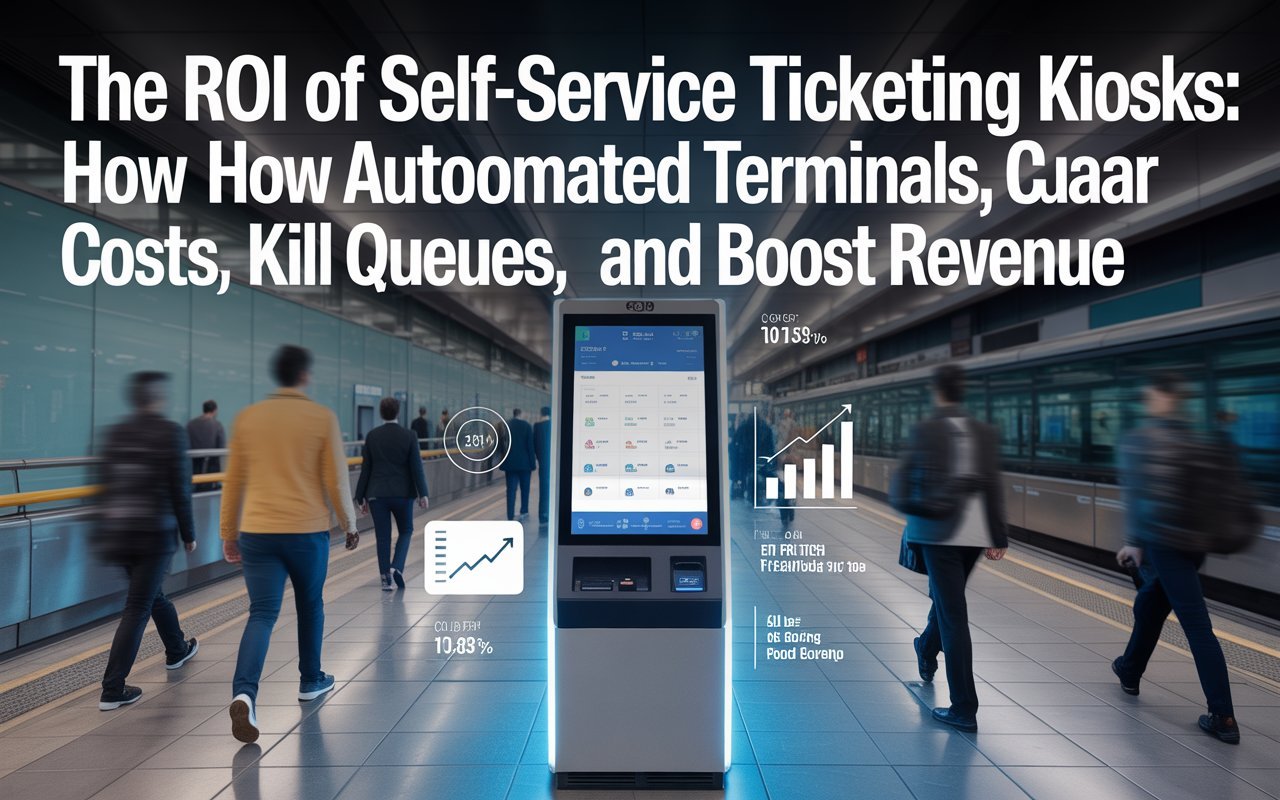
Self-service ticketing kiosks are automated, interactive terminals that allow customers to browse options, select tickets, make payments, and receive printed or digital confirmation — all without staff involvement. They sit at the intersection of point-of-sale hardware, intuitive touchscreen software, and payment processing infrastructure.
Modern kiosks are not simply ATM-style machines with a narrow function. Today’s units run sophisticated software stacks capable of handling dynamic pricing, seat selection, accessibility accommodations, multilingual interfaces, loyalty program integration, upsell logic, and real-time inventory synchronization. They communicate with central ticketing databases, accept every major payment method including contactless and mobile wallet, and generate the same transactional record as any manned terminal.
The defining characteristic of a self-service ticketing kiosk is the transfer of the transaction workload from staff to the customer — in a way that most customers, counterintuitively, prefer.
Core Attributes and Features of Self-Service Ticketing Kiosks
Understanding what separates a good kiosk deployment from a mediocre one starts with knowing which features actually drive ROI. The following attributes are the ones that business operators consistently cite as most impactful.
Touchscreen Interface and UX Design The interface is the product experience. High-brightness capacitive touchscreens with responsive, clearly labeled navigation reduce transaction abandonment. Research from the kiosk industry consistently shows that transactions completed in under 60 seconds have the highest satisfaction ratings. Cluttered interfaces, slow load times, and confusing navigation directly reduce throughput and erode the time-saving argument for kiosk adoption.
Omnichannel Payment Acceptance Effective ticketing kiosks accept credit and debit cards (chip, swipe, and contactless), mobile wallets such as Apple Pay and Google Pay, QR-code payments, and in some deployments, cash with integrated bill validators. The broader the payment acceptance, the lower the abandonment rate. Operators who deploy cash-only or card-only kiosks typically see higher dropout rates and reduced transaction volume.
Dynamic Pricing and Real-Time Inventory Kiosks connected to a live inventory management system can display accurate availability in real time and apply dynamic pricing rules automatically. This eliminates the scenario where a customer purchases a ticket that is no longer available — a critical trust issue in automated environments.
Receipt and Ticket Output Options Modern units offer thermal-printed tickets, email receipts, SMS confirmation links, and direct mobile wallet delivery. Reducing paper output is increasingly important to environmentally focused venues, but offering printed output remains essential in transit and heritage venue contexts where customer demographics vary widely.
Accessibility Compliance ADA-compliant kiosks include audio guidance, headphone jacks, height-adjustable screens or secondary low-reach interfaces, and tactile keypads. Accessibility is not optional — it is a legal requirement in most jurisdictions and a reputational factor for any public-facing venue.
The ROI Case: Breaking Down the Numbers
This is the section that finance directors and operations managers care about most. The return on investment from ticketing kiosk deployment comes from three distinct directions: cost reduction, throughput improvement, and revenue expansion.
1. Labor Cost Reduction
A single full-time ticket agent working a standard 40-hour week at $15 per hour costs approximately $31,200 annually in base wages alone. Add employer-side payroll taxes, benefits, training, management overhead, and turnover replacement costs, and the real number climbs considerably — industry estimates typically place the fully-loaded cost of a frontline ticketing employee between $40,000 and $55,000 per year in developed markets.
A mid-range ticketing kiosk unit costs between $8,000 and $25,000 depending on the configuration and manufacturer. Installation, software licensing, and annual maintenance typically add $3,000 to $6,000 per year. A venue that replaces two full-time ticket agents with four kiosks (which can handle a higher combined throughput) often recoups the hardware investment within 12 to 18 months.
It is worth being precise here: kiosks do not eliminate staff. They shift staff roles. The person who was processing cash transactions is now available to resolve exceptions, assist customers who need help at the kiosk, manage crowd flow, and provide the kind of experiential service that genuinely improves venue ratings. The labor model becomes leaner and higher-value, not simply smaller.
2. Queue Reduction and Throughput Improvement
Average transaction time at a manned ticket window ranges from 2.5 to 4 minutes depending on payment method, customer questions, and staff efficiency. A well-designed self-service kiosk with a familiar interface and contactless payment can complete a straightforward transaction in 45 to 90 seconds.
When you apply that difference across a venue processing 800 transactions per day, the throughput increase is substantial. More customers served per hour means shorter peak queues, reduced lobby congestion, and — critically — fewer abandoned purchases.
Queue abandonment is a revenue leak that rarely appears on a P&L because it is invisible. Customers who leave a line do not file a complaint. They simply do not come back. Hospitality and venue operations research suggests that visible queues longer than six to eight minutes cause measurable abandonment in spontaneous-purchase contexts. Kiosks address this directly by creating more parallel processing lanes at a lower capital cost than adding equivalent manned windows.
3. Revenue Expansion Through Consistent Upselling
The most underappreciated ROI driver is the upsell consistency factor. Human cashiers, when pressed for time or simply because of variation in motivation and training, do not execute upsell scripts uniformly. Kiosk software does.
In documented venue deployments, self-service kiosks with structured upsell screens have increased average transaction value by 8% to 23% compared to manned-window equivalents. Even at the lower end of that range, the revenue impact across a high-volume venue compounds quickly.
Consider a venue processing 200,000 transactions per year at an average ticket price of $18. An 8% lift in average transaction value through kiosk-driven upsells translates to an additional $288,000 in annual revenue. That figure alone justifies a significant kiosk deployment for many operators.
Industries and Real-World Use Cases
Self-service ticketing kiosks are not a single-industry solution. Their deployment spans a wide range of venues and operational contexts, each with distinct ROI dynamics.
Mass Transit and Public Transportation Transit agencies represent the largest deployment category globally. Subway systems, commuter rail networks, and bus rapid transit corridors use ticketing kiosks to handle the volume that no manned counter network could manage economically. The New York Metropolitan Transportation Authority, Transport for London, and dozens of equivalent agencies worldwide operate kiosk fleets numbering in the thousands. The ROI argument here centers on operational scale: a single manned window processing 300 transactions per hour cannot compete with a kiosk array processing 500 to 700.
Theme Parks and Attractions Major theme park operators including regional parks, water parks, and heritage attractions have deployed kiosks as part of broader capacity management strategies. The ability to pre-sell, upsell parking and dining packages, and distribute entry load across digital and physical channels reduces gate congestion during peak arrival windows — which directly improves the early guest experience and reduces staff stress during the highest-pressure operational moments.
Sports Stadiums and Arenas Pre-event ticket collection and on-the-day sales kiosks serve multiple functions in stadium environments. They provide additional redundancy when digital ticket scanning encounters exceptions, they serve walk-up buyers who prefer physical ticket confirmation, and they allow flexible pricing that responds to real-time availability in the hours before an event.
Cinemas and Entertainment Complexes Multiplex cinema operators pioneered many of the kiosk UX conventions now standard across the industry. The cinema use case is particularly interesting because seat selection — a visually complex process — was considered a barrier to kiosk adoption. Modern touchscreen seat-map interfaces have resolved this entirely, and many cinema chains now process more than 60% of box-office transactions through self-service terminals.
How Self-Service Ticketing Kiosks Compare to Alternatives
Versus Mobile App-Only Ticketing Mobile apps are cost-effective and widely used, but they create friction for customers without smartphones, those with low data access, older demographics, and visitors from international markets with unfamiliar carrier networks. Kiosks serve as the physical fallback that makes a predominantly digital ticketing strategy inclusive and accessible. They also capture spontaneous walk-up buyers who have not pre-downloaded the app.
Versus Traditional Manned Ticket Windows The comparison here is primarily economic. Manned windows offer high interpersonal service quality and can handle exception cases with judgment. They are inflexible in terms of capacity scaling and expensive to staff during peak hours. Kiosks scale laterally — adding a unit adds proportional capacity without proportional labor cost.
Versus Online Pre-Sale Only Pre-sale-only models work well for high-demand events with predictable attendance patterns. They fail for venues where significant walk-up or spontaneous attendance is expected. Kiosks capture the walk-up revenue that online-only models structurally cannot.
Versus White-Label Tablet POS Systems Entry-level tablet-based point-of-sale setups are lower in upfront cost but lack the durability, throughput capacity, ADA compliance features, and payment hardware integration of purpose-built kiosks. In high-volume environments, tablet POS systems become a maintenance liability and a throughput bottleneck.
Implementation Overview: What a Kiosk Deployment Actually Looks Like
Deploying self-service ticketing kiosks is a project, not a purchase. Understanding the implementation phases helps operators plan realistic timelines and avoid common mistakes.
Phase 1 — Needs Assessment and Vendor Selection Start with a transaction audit. How many transactions do you process daily? What is your peak-hour volume? Which payment methods do your customers use? What upsell opportunities currently exist that are being missed? This data shapes the hardware specification and software requirements you bring to vendor conversations.
Vendors in this space range from global POS hardware manufacturers to specialist ticketing technology companies. Evaluate vendors on hardware durability ratings (kiosks in public venues need to withstand heavy daily use), software flexibility (can the interface be customized to your brand and workflow?), integration capability (does it connect with your existing ticketing platform?), and after-sales support response time commitments.
Phase 2 — Site Planning and Infrastructure Kiosk placement matters enormously. Units positioned at natural customer flow points — lobby entrances, near existing ticket windows, at the point where queuing naturally begins — perform significantly better than units placed in peripheral locations. Power and network connectivity requirements need to be scoped by your facilities team. Hardwired ethernet connections are strongly preferred over Wi-Fi for reliability in high-transaction environments.
Phase 3 — Software Configuration and Integration Your kiosk software needs to integrate with your ticketing inventory system, your payment processor, your CRM or loyalty platform if applicable, and your reporting dashboard. Allow four to eight weeks for this integration work, particularly if your existing ticketing platform uses legacy APIs. This phase also includes building and testing your upsell logic, setting up accessibility features, and configuring your receipt and ticket output templates.
Frequently Asked Questions About Self-Service Ticketing Kiosks
Q1: How long does it typically take for a self-service ticketing kiosk deployment to pay for itself?
The payback period varies by venue size, transaction volume, and labor market rates, but most operators with meaningful transaction throughput report full hardware and software cost recovery within 12 to 20 months. High-volume transit deployments often see payback in under 12 months. Smaller cultural institutions with lower daily transaction counts typically land closer to 24 months.
Q2: What happens when a customer needs help at a kiosk and there is no staff nearby?
This concern is legitimate and is why kiosk deployment strategies consistently recommend a transitional period of concurrent kiosk and manned operation. In mature deployments, venues designate a kiosk concierge role — a staff member who circulates the kiosk area rather than sitting at a window — which improves customer confidence without requiring a dedicated post for each unit. Well-designed kiosk interfaces with clear error messaging, accessible help options, and prominent “assistance needed” buttons reduce the frequency of escalation dramatically.
Q3: Do customers actually prefer using ticketing kiosks over interacting with a person?
Preference varies by demographic and context, but the data across hospitality, transit, and entertainment industries consistently shows that the majority of customers in high-volume environments prefer self-service when the interface is fast, clear, and reliable. The preference is particularly strong among customers aged 18 to 45 and in time-sensitive contexts. Older demographics and customers with complex needs tend to prefer manned assistance, which is why hybrid models — kiosks plus reduced manned windows — outperform either extreme.
Q4: Can self-service ticketing kiosks integrate with existing event management and ticketing platforms?
Yes, and integration capability is one of the most critical selection criteria when evaluating kiosk vendors. Modern kiosks communicate via standard REST APIs with major ticketing platforms including Ticketmaster, AXS, Eventbrite, and venue-specific systems. Integration work ranges from a few days for modern API-based systems to several weeks for legacy database-driven platforms. Venues should request a detailed integration scope from any shortlisted vendor before signing a contract.
Q5: How do self-service kiosks handle accessibility requirements for customers with disabilities?
ADA-compliant and WCAG-aligned kiosk configurations include screen reader audio guidance via headphone jack, high-contrast display modes, large-text interface options, a secondary low-reach interface or tilting screen for wheelchair users, tactile keypads for numeric input, and extended timeout settings for users who need more processing time. Accessibility compliance is both a legal obligation in most jurisdictions and increasingly a brand expectation. Leading kiosk manufacturers include accessibility compliance as a standard, not an add-on.
Q6: What is the maintenance burden of operating a kiosk fleet?
Thermal printer mechanisms are the highest-maintenance component in a standard ticketing kiosk — they require periodic cleaning and occasional roller replacement. Card reader modules need periodic calibration. Touchscreen surfaces in high-traffic environments should be inspected and cleaned daily. Most enterprise kiosk vendors offer preventive maintenance contracts that include hardware replacement guarantees within defined response windows. Remote monitoring software significantly reduces the cost of maintaining a fleet by enabling predictive intervention rather than reactive repair.
Q7: Are self-service ticketing kiosks secure against payment fraud?
Payment security in modern ticketing kiosks is governed by PCI DSS compliance requirements. EMV chip readers, point-to-point encryption of card data, and tokenized transaction processing are standard in any enterprise-grade deployment. Kiosk housings in public venues should also include physical tamper-evident seals and anti-skimming shields over card entry slots. Security audits of kiosk payment systems should be included in any vendor due diligence process.
Conclusion: The Case for Kiosk Investment Is Now Proven
Self-service ticketing kiosks are no longer a speculative technology waiting for market maturity. They are a documented, deployable, and financially defensible operational investment for any venue that processes meaningful ticket volume.
The ROI argument runs on three parallel tracks. Labor costs come down as the transaction workload shifts to the customer in a way that customers demonstrably prefer. Throughput increases as transaction times drop and parallel processing lanes multiply. And revenue expands as upsell logic executes consistently on every single transaction, at every moment of peak demand, without fatigue, without script variation, and without the constraints that affect even the best human sales team.
The venues and transit operators that have already made this transition are not reporting regret. They are reporting faster lines, improved guest experience scores, leaner operational structures, and revenue figures that confirm the business case made during the original capital approval process.
The question for operators who have not yet made this transition is no longer whether self-service ticketing kiosks work. The evidence on that point is extensive and consistent. The question is how to design a deployment that is appropriately sized, correctly integrated, and configured to capture the specific ROI opportunities present in your venue’s transaction flow.
That starts with your data — your daily transaction volume, your current labor cost structure, your peak-hour throughput constraints, and your upsell revenue potential. Bring those numbers into a vendor conversation and the payback math will become clear quickly.