 xdexygnr@gmail.com
How Self-Service Technology Grew from a Clunky Box on the Wall into an Intelligent, Revenue-Generating Business Asset
Introduction: The Machine That Nobody Trusted
Walk into any busy venue from the early 2000s — an airport, a cinema, a theme park — and you would almost certainly encounter one. A large, boxy terminal bolted to the wall, covered in fingerprints, its screen flickering under fluorescent lights. You would press a button. Nothing would happen. You would press it again. The queue behind you would grow. A staff member would eventually walk over, tap a hidden panel, and mutter something about it “acting up again.”
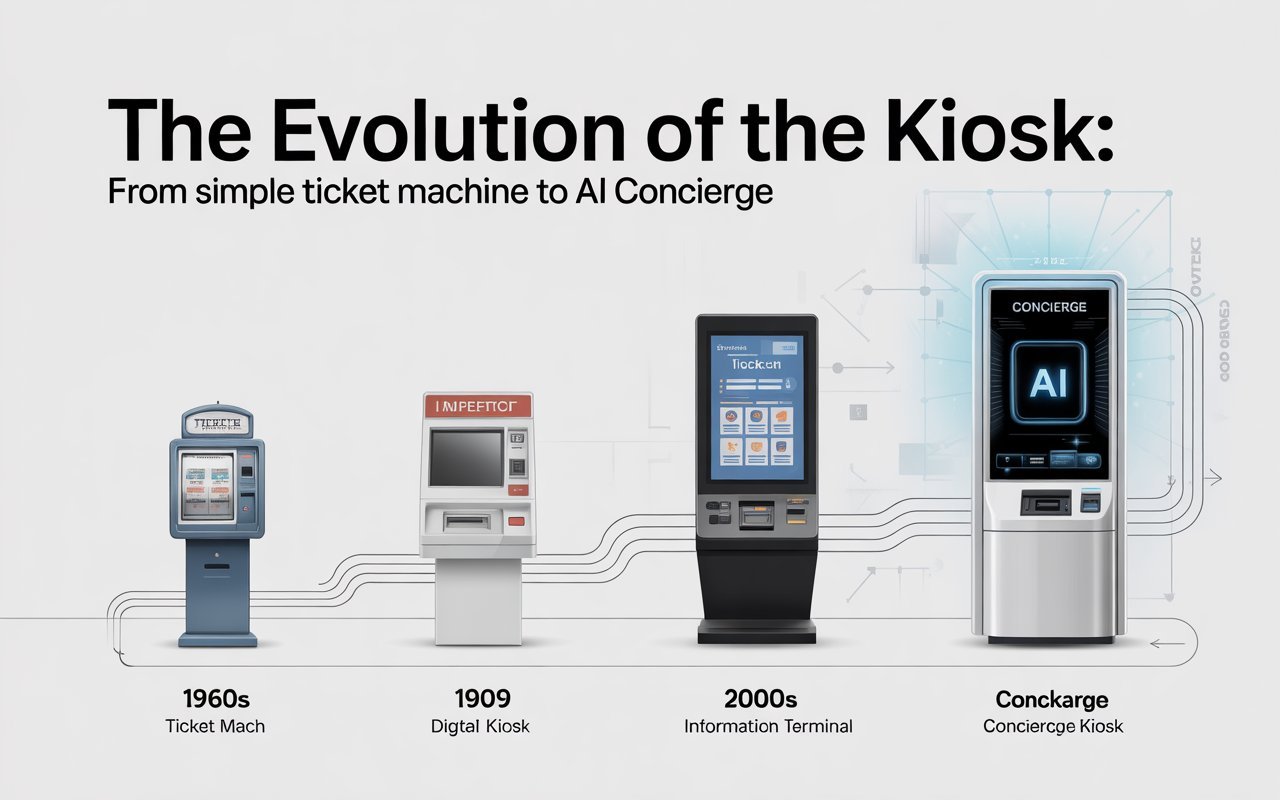
That was the kiosk. And for the better part of two decades, it represented the awkward middle ground between full human service and true automation — promising efficiency, delivering frustration.
That era is over.
The self-service terminal of 2026 bears almost no resemblance to its predecessor. They does not freeze. It does not “act up.” It recognizes who you are before you touch the screen, anticipates what you need, and completes your transaction in under ten seconds. They operates at midnight as competently as it does at noon. It adapts to your industry, your brand, and your customer base. And it generates data that helps you run your business more intelligently tomorrow than you did today.
This is not incremental improvement. This is a categorical shift — from a machine that processed inputs to a system that understands context.
This article traces that shift in full: what killed the old kiosk, what replaced it, how the hardware works, why unattended retail is reshaping labor markets across the Gulf, and how modern self-service terminals are being customized for industries as different from each other as hospitals and theme parks.
Section 1: The Death of the “Slow” Kiosk
What the Original Self-Service Terminal Actually Was
The first commercial self-service kiosks were, in technical terms, dumb terminals. They had a fixed menu, a single purpose, and almost no capacity to adapt. An airport check-in machine from 1998 could print a boarding pass — if the airline’s backend was responding, if the thermal paper was loaded, and if the touchscreen had been calibrated recently. Every one of those conditions was frequently unmet.
The design philosophy behind these machines was understandable for its era: replace one specific human task with a machine that could repeat it reliably. The problem was that “reliable” was never actually achieved. These terminals were maintenance nightmares. They ran on proprietary operating systems that vendors no longer supported. They communicated with backend systems over slow, error-prone connections. Their interfaces were designed by engineers rather than by user experience professionals, and it showed in every confusing prompt and ambiguous button label.
By the mid-2010s, the gap between what consumers experienced on their smartphones — fast, intuitive, personalized — and what they experienced at a self-service terminal had become embarrassing. Customers avoided kiosks not because they preferred speaking to a human, but because the kiosk was slower, harder, and more likely to fail than the human alternative.
The Failure Points That Finally Killed Legacy Hardware
Three compounding failure patterns brought the old kiosk era to an end:
The first was mechanical unreliability. Legacy kiosks contained dozens of moving components — card readers, receipt printers, barcode scanners — each with its own failure rate. A machine with five components, each operating at 97% reliability, produces a combined uptime of only 85%. Add a sixth component and you are below 83%. The math was brutal, and operators felt it in constant service calls and customer complaints.
The second was software stagnation. Many legacy kiosks ran closed operating systems with update cycles measured in years, not weeks. Security patches were slow to arrive and slower to deploy. When payment processing standards evolved, hardware upgrades were required — and expensive. The total cost of ownership for a legacy terminal was far higher than its purchase price suggested.
The third was data poverty. The old kiosk processed a transaction and generated a receipt. That was essentially the extent of its contribution to business intelligence. It produced no useful analytics, no customer behavior data, no operational metrics. Management had no visibility into which machines were underperforming or why.
What Replaced the Legacy Model
The replacement was not a single breakthrough. It was a convergence: cloud infrastructure became cheap enough to connect every terminal to a real-time management system; mobile processors became powerful enough to run complex software on a compact device; touchscreen technology matured to the point where a 32-inch display responded as crisply as a smartphone; and AI, specifically computer vision and machine learning, moved from research labs into commercial deployment.
When these streams converged, the kiosk stopped being a dumb terminal. It became an intelligent node in a connected system — a machine that could be updated over the air, monitored remotely, optimized continuously, and trained to recognize patterns in the customers it served.
Section 2: Meet the AI Concierge — The ATC Self-Service Terminal in 2026
A Scenario That Would Have Seemed Like Science Fiction in 2015
Ahmed is a season pass holder at a large theme park in Riyadh. He arrives on a Thursday evening and approaches one of the venue’s self-service terminals. Before his hand reaches the screen, the terminal’s integrated camera has already identified him through secure facial recognition, pulled his profile from the cloud, and noted that he always purchases the premium Fast-Track wristband — always in the blue color option, always paid with his saved card.
The screen presents a single prompt: “Welcome back, Ahmed. Print your usual Fast-Track wristband?” He confirms. The thermal wristband printer activates. Nine seconds later, a secure, tamper-evident wristband drops into the collection tray. Ahmed is already walking toward the entrance.
This sequence — recognition, suggestion, confirmation, print — took nine seconds. A staffed counter would have taken between two and four minutes. A legacy kiosk, if it were working at all, would have taken close to three minutes of menu navigation.
The Core AI Capabilities Driving This Experience
Customer recognition. Modern self-service terminals use edge-based computer vision — meaning the recognition computation happens on the device itself, not after a round-trip to a distant server. This keeps response times under 300 milliseconds and maintains operation even during brief network interruptions. The facial recognition models are trained on opt-in customer data and operate within strict privacy frameworks, with the option for customers to disable or delete their biometric profile at any point.
Behavioral prediction. The AI layer does not simply retrieve a static customer profile. It analyzes purchase history, visit frequency, time-of-day patterns, and seasonal behavior to generate a ranked list of likely purchase intentions. If a customer usually buys a standard ticket but has purchased upgrade options three times in the past month, the terminal may offer the upgrade as the primary option. This is recommendation logic operating at the point of sale, in real time, with no staff intervention.
Secure wristband printing. The wristband itself is a data-carrying physical token. Each band is printed with a unique QR code or RFID chip embedded during the printing process, linked to the specific transaction and the specific customer. Entry gates validate the wristband against the live database in under half a second. Wristbands cannot be duplicated because the unique code is generated at the moment of purchase and activated simultaneously in the venue’s access control system.
Language adaptability. In a market like Saudi Arabia, where venues serve Arabic-speaking residents, English-speaking expatriates, and international tourists simultaneously, the terminal detects the user’s preferred language from their profile or, for first-time visitors, from a simple first-screen selection. All downstream interactions — prompts, receipts, confirmation messages — are served in the selected language without any degradation in speed.
What “Under 10 Seconds” Actually Means for a Business
Speed at the point of service is not a vanity metric. Queue length is one of the most significant drivers of customer abandonment in high-footfall venues. Research in retail and entertainment consistently finds that when wait times exceed four to six minutes, a measurable percentage of customers either abandon their purchase entirely or form a negative impression that affects their likelihood of returning.
A self-service terminal that completes a full transaction in under ten seconds can process approximately 360 customers per hour under optimal conditions. A staffed counter, accounting for greeting, verification, payment processing, and printing, typically handles between 15 and 25 customers per hour. Six terminals operating at peak efficiency therefore replace the output of more than 80 staffed transactions per hour — while operating 24 hours a day.
Section 3: Hardware Meets Software — Inside an ATC Self-Service Terminal
The Physical Architecture
From the outside, a modern self-service terminal is a clean, branded enclosure — typically between 55 and 75 inches in height, with a large touchscreen as the primary interface surface. But describing it as “a screen in a box” is like describing a surgery theater as “a room with good lighting.”
The internal architecture of a 2026-generation terminal contains several distinct subsystems that must function in precise coordination:
Processing core. The terminal runs on an industrial-grade computing board — not a consumer laptop repurposed into a kiosk chassis, but a purpose-built processor designed for continuous operation at high ambient temperatures, with no moving fans and solid-state storage. Mean time between failures on this class of hardware is measured in years, not months.
Secure payment module. Payment processing happens in a physically isolated, PCI-DSS-compliant hardware module. This module is architecturally separate from the main computing board, meaning that even if the main system were compromised, the payment module would not be accessible. Contactless payment is supported natively — NFC for cards and mobile wallets, QR codes for app-based payment, and traditional chip-and-PIN for customers who prefer it.
Thermal printing system. The wristband and ticket printer uses commercial-grade thermal printing heads rated for hundreds of thousands of print cycles. Paper and wristband media loads from a sealed internal compartment accessible only to authorized staff. The printer communicates its media level in real time to the central management system, triggering a resupply alert before stock is depleted — not after the machine has already stopped working.
The Cloud Management Layer
Every terminal in a network is connected to a cloud-based management platform that provides operators with real-time visibility across their entire fleet. This is where the transformation from a machine to a system becomes fully apparent.
From the management dashboard, an operator can see — in real time — which terminals are active, which are processing transactions, which have low media stock, and which are reporting any error conditions. Firmware and software updates are pushed from the cloud, meaning a security patch or a new feature can be deployed to every terminal in a 50-location network simultaneously, during off-peak hours, without a single service visit.
The same platform houses the analytics engine. Transaction volume by hour, by terminal, and by product type. Queue time estimates derived from transaction data. Conversion rates — how many customers who initiated a session actually completed a purchase. Revenue per terminal per day. These metrics, which were simply unavailable in the legacy kiosk era, give operators the information they need to adjust pricing, product placement, and terminal positioning based on actual customer behavior.
Why “Secure Vault” Is Not an Exaggeration
The physical chassis of a modern self-service terminal is designed to resist unauthorized access. The enclosure uses tamper-evident panels secured with specialized fasteners that require proprietary tools to open — tools held only by authorized service technicians. Any attempt to force the enclosure triggers both a local alarm and an alert to the central management system.
Internally, all communication between subsystems travels over encrypted channels. The payment module, the printing system, and the main processor do not simply exchange data in plain text — every packet is authenticated. This matters because a terminal that appears to be working normally but whose internal communications have been intercepted is a liability that operators simply cannot afford, particularly in ticketed venues where wristband counterfeiting would directly erode revenue.
Section 4: Why “Unattended” Is the Future of Retail — and What Saudi Arabia’s Labor Market Has to Do With It
The Labor Equation That Changes Everything
Vision 2030, Saudi Arabia’s national economic reform program, has fundamentally reshaped the labor market across the Kingdom. Saudization quotas require businesses in most sectors to maintain a specified percentage of Saudi nationals in their workforce. For many retailers and venue operators, meeting these quotas while also maintaining the staffing levels required for 24-hour operations creates a compounding challenge.
Unattended self-service terminals address this challenge directly. They do not require a physical presence to operate. A trained staff member who previously managed a ticket counter can instead manage a portfolio of eight to twelve terminals simultaneously — monitoring them through a tablet application, responding to service alerts, and resupply needs. The ratio of staff to output shifts dramatically.
This is not about eliminating jobs. In a market where qualified staff are in high demand and where extended operating hours are commercially essential, automation allows businesses to serve customers at hours when staffing a conventional counter would be economically unviable. A venue open from 8 AM to 2 AM that previously required three shift rotations of two staff each for the sales function can now serve the same volume with two staff managing a terminal network — and those staff can be engaged in higher-value activities during quieter periods.
The 24/7 Revenue Argument
A staffed counter that closes at midnight stops generating revenue at midnight. A self-service terminal does not. In the context of entertainment venues, amusement parks, and public transportation hubs — all of which operate on extended or round-the-clock schedules — this is not a marginal difference. It is a structural revenue opportunity.
Consider a venue with peak attendance between 6 PM and 11 PM but with meaningful foot traffic from 11 PM to 2 AM. A conventional operation staffs down during the late window because the revenue does not justify the cost. A terminal network maintains full service capacity during that window at essentially zero marginal cost per transaction. The late window becomes profitable by default.
Automation as a Quality of Service Improvement
A common misconception is that unattended service means inferior service. The data from venues that have deployed modern self-service terminals suggests the opposite. Customer satisfaction scores — measured through post-transaction surveys triggered by the terminal itself — consistently rate the self-service experience as faster and less stressful than the staffed counter equivalent.
This is because the terminal does not have a bad day. They does not create inadvertent friction through a tone of voice or a misheard request. It does not upsell in a way that feels pushy. They presents options clearly, confirms choices explicitly, and completes transactions without error. For many customers, this consistency is preferable to the variability of human interaction — particularly in high-pressure moments like entry queues at a popular venue.
Section 5: Customization — How ATC Tailors Terminals for Every Industry
The Modular Hardware Philosophy
A self-service terminal for a hospital emergency department has fundamentally different requirements from one deployed in a theme park. The hospital terminal needs to support Arabic and English with high-contrast display options for visually impaired users, accept health insurance card readers, print appointment tickets with triage codes, and connect to patient management software. The theme park terminal needs high-throughput wristband printing, facial recognition for season pass holders, and a bright, engaging interface that works in direct sunlight.
ATC addresses this through a modular hardware platform. The core computing and connectivity architecture is shared across verticals — this keeps costs manageable and ensures that operational and security updates propagate uniformly. But the peripherals, the enclosure design, the interface software, and the integration layer are configured specifically for each deployment context.
This modularity means that a customer choosing an ATC terminal for a hospital today is not locked into a design that cannot accommodate a different peripheral set when needs evolve. The platform grows with the operator.
Hospitals and Healthcare Facilities
In a healthcare setting, the self-service terminal functions as the patient’s first point of contact with the facility. It handles appointment check-in, queue number issuance, wayfinding information, and — in some configurations — co-payment collection.
For hospitals, the critical performance criteria are reliability and accessibility. A machine that goes offline during peak morning check-in creates a bottleneck that cascades through the entire day’s schedule. The ATC terminal’s dual-connectivity architecture and remote monitoring system address this directly: problems are identified and often resolved remotely before they become visible to patients.
Accessibility compliance is built into the interface layer. Font sizes are adjustable, contrast modes are available, and for facilities serving elderly populations, the interaction flow is deliberately simplified — fewer steps, larger targets, slower animations.
Theme Parks and Entertainment Venues
This is the highest-throughput deployment context, and it is where the speed and AI capabilities of the terminal are most visibly impactful. A theme park entrance that processes 3,000 visitors in the first two hours of operation faces a queuing challenge that no practical number of staffed counters can solve cost-effectively.
The terminal configuration for this context prioritizes throughput above all else. Facial recognition is enabled for returning visitors. Wristband printing is optimized for speed — the printer loads and cuts in parallel with the final confirmation step, so the band is ready the moment the user confirms. The interface flow is stripped to the minimum necessary steps.
Operators also have access to dynamic pricing controls through the management platform. A terminal at a theme park can present a different pricing structure during off-peak hours than during peak hours — not after a software update, but in real time, triggered by attendance thresholds configured by the operator.
Retail and Shopping Malls
In a mall context, the terminal often serves as an information and ticketing hub — processing parking validation, loyalty program interactions, event ticket sales, and gift card transactions. The integration requirements here are broad: the terminal may need to connect to a parking management system, a CRM, an event ticketing database, and a payment gateway simultaneously.
ATC’s cloud management layer handles this through a standardized API integration framework. Each external system is connected through a documented interface, and the terminal’s software layer manages the orchestration — presenting a unified experience to the customer while passing data to four or five backend systems in the background.
Government and Public Services
Queue management in government service centers — immigration offices, vehicle licensing departments, civil affairs facilities — is one of the most politically visible service quality challenges in the Gulf region. Citizens who wait hours for a simple transaction form strong negative impressions of public administration.
Self-service terminals in this context are deployed as first-tier service points: handling appointment scheduling, queue number issuance, document submission intake, and fee payment. The terminals reduce demand at staffed counters by handling every interaction that does not strictly require human judgment.
In this vertical, the compliance requirements around data handling are the most stringent. Terminals connect to government systems through certified, encrypted channels, and all transaction data is handled in accordance with national data protection frameworks.
Implementation Overview: From Consultation to Deployment
The deployment of a self-service terminal network is not a product purchase — it is an operational transformation. ATC structures its implementation process in four phases:
Discovery and scoping. The ATC team conducts an operational audit of the client’s existing service points — footfall volumes, transaction types, peak period patterns, integration requirements. This produces a deployment specification: how many terminals, which configurations, where they are positioned, and what metrics will define success.
Hardware configuration and software integration. Based on the specification, terminals are configured with the appropriate peripheral set and integrated with the client’s backend systems — ticketing software, payment gateways, CRM platforms, access control systems. Integration testing is conducted in a staging environment before any hardware touches the live venue.
Deployment and staff training. Physical installation is followed by a structured training program for the client’s operations team — not training on how to operate the terminals themselves, but on how to use the management dashboard, interpret performance data, respond to service alerts, and manage the media resupply schedule.
Ongoing support and optimization. ATC’s support model includes remote monitoring with defined response SLAs, proactive firmware updates, and quarterly performance reviews at which the transaction analytics are examined and configuration adjustments recommended. The relationship does not end at deployment — it is designed to improve over time as more data becomes available.
Frequently Asked Questions
Q1: How does facial recognition work on a self-service terminal, and is customer data safe?
Facial recognition on modern self-service terminals operates through edge computing — the recognition process runs locally on the terminal’s processor, not by sending a photograph to a remote server for processing. The biometric template (a mathematical representation of facial geometry, not a photograph) is encrypted and stored in a secure enclave that is architecturally isolated from other system components. Customers must explicitly opt into biometric identification, and they retain the right to delete their biometric profile at any time through a self-service request. Compliance with regional data protection regulations — including Saudi Arabia’s Personal Data Protection Law — is built into the platform’s data handling architecture.
Q2: What happens if the terminal loses internet connectivity?
Modern self-service terminals are designed with network resilience as a core requirement, not an afterthought. A dual-connectivity architecture maintains a primary connection via the venue’s network and a secondary connection via an embedded cellular modem. If the primary connection drops, the terminal switches to the cellular backup automatically, typically within two to three seconds, with no visible interruption to the customer’s transaction. For transactions that require real-time verification against a live database — such as season pass validation — the system queues verification requests and resolves them when connectivity is restored. In fully offline conditions, the terminal can operate in a configurable fallback mode that supports a defined subset of transaction types.
Q3: How long does it take to deploy a self-service terminal network across multiple locations?
Deployment timelines depend on the complexity of backend integration and the number of terminals involved. A single-location deployment with standard integrations (payment gateway, basic ticketing system) typically reaches live operation within four to six weeks of contract signature. Multi-location deployments are staged — the first site goes live first and serves as the configuration baseline for subsequent sites, which typically reduces deployment time for each additional location. The most time-consuming element is almost never the hardware; it is the backend integration testing required to ensure that the terminal communicates correctly with the client’s existing systems.
Q4: How does the AI recommendation engine improve over time?
The recommendation engine is a machine learning model that updates based on transaction data. When the terminal is first deployed, it operates from a default model that weights behavioral signals that are broadly predictive across similar venues — time of day, visit frequency, previous purchase tier. As transaction volume accumulates, the model is retrained on the specific customer behaviors observed at that venue, producing recommendations that become increasingly accurate over time. An installation that has been running for twelve months will, in most cases, generate more accurate personalized suggestions than it did at launch. The model’s performance is visible in the management dashboard through a metric called suggestion acceptance rate — the percentage of AI-generated recommendations that customers accepted without modification.
Q5: Can a self-service terminal handle transactions that are not straightforward — for example, group bookings, corporate accounts, or promotional code redemption?
Yes. The transaction logic layer of a modern terminal is configurable and supports complex purchase flows. Group booking functionality allows a single customer to select ticket types and quantities for multiple individuals, generating a set of unique wristbands or tickets in a single transaction. Corporate accounts can be linked to the customer recognition system so that verified corporate users are presented with account-specific pricing and invoicing options. Promotional codes — whether printed, digital, or communicated verbally by a staff member — are entered through an on-screen keypad and validated against the promotions database in real time. The terminal’s interface adapts to present only the options that are relevant to the specific transaction type the customer has initiated, keeping complex flows navigable without overwhelming customers who are making simple purchases.
Q6: What is the maintenance burden of operating a self-service terminal network?
This is one of the areas where modern terminals most dramatically outperform their legacy counterparts. Routine maintenance for a well-deployed modern terminal network consists primarily of media resupply — loading thermal paper, wristband stock, and card stock — which is flagged automatically by the terminal before stock is depleted. Software maintenance is handled remotely through the management platform. Physical servicing of hardware components is required on a much longer cycle than legacy equipment: the mean time between hardware failures for industrial-grade terminal components is typically measured in years. When hardware service is required, ATC’s support model includes response SLAs with defined resolution windows.
Conclusion: The Machine Has Grown Up
The kiosk of the early 2000s was a promise that technology could not yet keep. The hardware was wrong. The software was wrong. The connectivity was wrong. And the ambition — replacing meaningful human-to-customer interaction with a machine — was ahead of the infrastructure required to deliver it.
That gap has closed. The self-service terminal of 2026 keeps the promise that the original kiosk made and failed to honor. It is faster than a staffed counter for straightforward transactions. They is more consistent than a human agent across a ten-hour shift. It is more informative for the operator, generating real-time data that was previously invisible. They works at 2 AM with the same competence it brings to 2 PM.
For businesses operating in Saudi Arabia’s rapidly evolving retail and entertainment landscape — navigating Saudization requirements, extended operating hours, rising customer expectations, and fierce competition — the strategic case for self-service automation is not speculative. It is grounded in measurable outcomes: reduced operational cost per transaction, higher throughput during peak periods, extended effective operating hours, and a consistently positive customer experience that does not depend on who happens to be working that shift.
ATC’s self-service terminal platform represents the mature form of this technology. Not a screen on a wall. Not a machine that barely works. An intelligent, connected, customizable system that earns its place in your operation by performing — reliably, at scale, and around the clock.
The kiosk that nobody trusted is gone. What replaced it is something genuinely worth trusting.