 xdexygnr@gmail.com
Introduction
Are you still trusting outdated locks and paper sign-in sheets to protect your business?
Every day, organizations leave their most valuable assets exposed — not because they do not care about security, but because they are working with tools that were never built for the demands of a modern workplace. One lost key, one unmonitored entry point, or one forgotten credential can open the door to serious consequences. That constant uncertainty is not just stressful — it is a liability that no business can afford to ignore.
Here is the solution. Access control system software gives organizations a smarter, faster, and more reliable way to manage who gets in, where they go, and when — all from one powerful, centralized platform. No more manual logs. No more security blind spots. No more sleepless nights wondering whether the building is truly secure.
Whether managing a small office or a large multi-site enterprise, the right access control system software puts complete control back in the hands of the people who need it most. Staff access, visitor management, asset tracking, and real-time alerts — all handled automatically, all in one place. Because protecting what matters should never feel like guesswork.
1. What Is Access Control System Software?
Definition and Core Concept
Access control system software is a platform that manages, monitors, and enforces rules about who is allowed to access specific spaces, systems, or resources within an organization. It works by assigning permissions to individuals or groups based on predefined policies and verifying those permissions at entry points through hardware like card readers, biometric scanners, or mobile devices.
Think of it as a digital gatekeeper — one that never sleeps, never forgets, and always follows the rules.
How It Works
At its foundation, access control system software uses a centralized platform to store user identities, assign permissions, and communicate with physical hardware at every entry point. When someone attempts to access a door or restricted area, the system checks their credentials against its database in real time and either grants or denies entry — instantly and automatically.
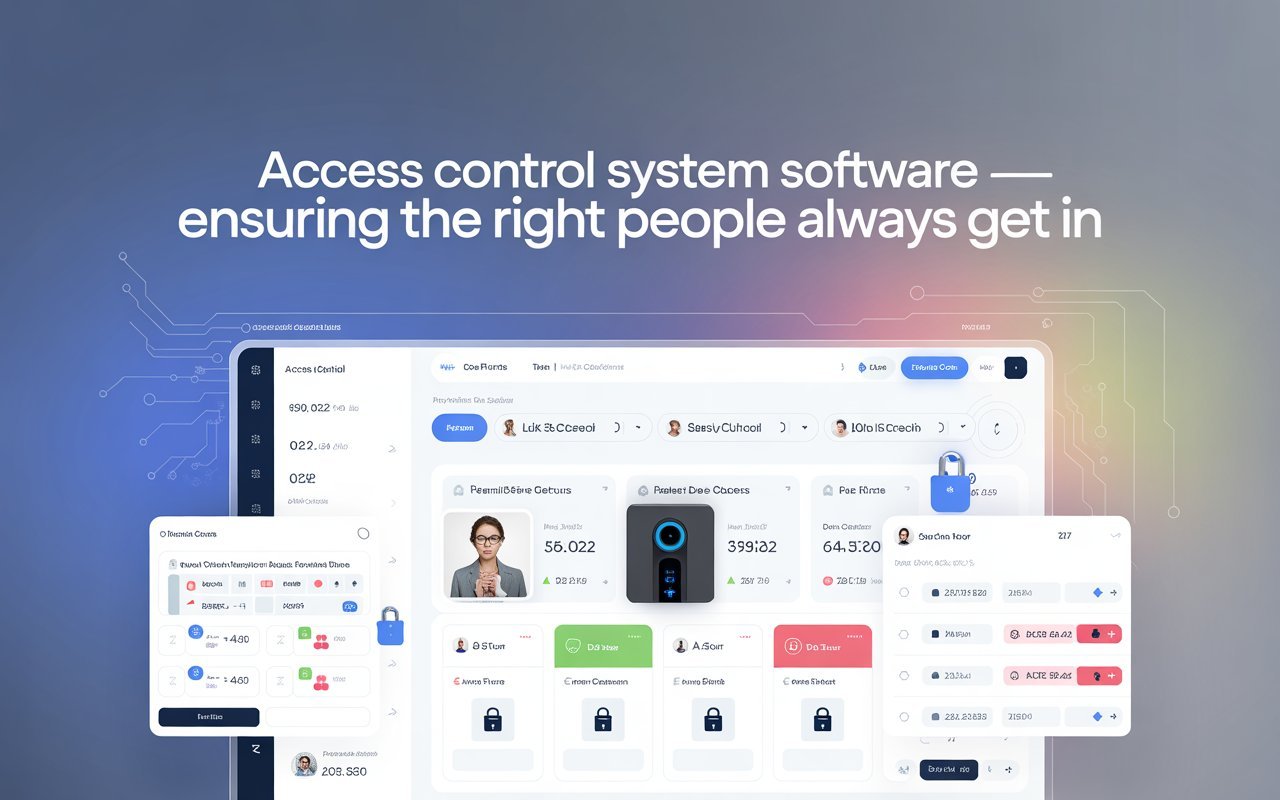
A centralized access control platform allows administrators to manage hundreds of doors, floors, and facilities from a single dashboard without needing to be physically present at any location.
Traditional Locks vs. Smart Access Control
Traditional lock-and-key systems have served their purpose for centuries, but they come with serious limitations. Lost keys create security vulnerabilities. Replacing locks is expensive. And there is no way to track who entered a room and when. Smart access control management eliminates all of these problems. Permissions can be updated remotely, access logs are generated automatically, and temporary credentials can be issued and revoked in seconds.
A Brief History and Evolution
Access control has evolved from physical padlocks to electronic keypads, magnetic stripe cards, and now to AI-powered, cloud-connected access control solutions that integrate with entire security ecosystems. The evolution has been driven by one consistent goal: making security smarter, faster, and more adaptable.
2. Why Your Business Needs It
Rising Security Threats — Physical and Cyber
The threat landscape today is more complex than ever. Businesses face not only physical intrusions but also cyber threats tied to weak identity verification practices. Access control system software addresses both dimensions by enforcing strong authentication and creating detailed access logs that support incident investigations.
Managing Large Workforces and Multiple Locations
For growing businesses, managing who has access to what across multiple sites is an enormous operational challenge. A centralized access control platform simplifies this by allowing administrators to manage all locations, users, and permissions from one place — saving time and reducing the risk of human error.
Reducing Human Error in Security Management
Manual security processes are prone to mistakes — forgotten badge deactivations, misplaced keys, or overlooked permission updates. Employee access management through automated software ensures that changes are applied consistently and immediately across all access points, leaving no gaps.
Cost Savings Compared to Traditional Methods
Investing in access control system software may seem like a significant upfront cost, but it often delivers faster savings than expected. Eliminating physical key management, reducing reliance on on-site security personnel, and preventing costly security incidents all contribute to a measurable return on investment.
Compliance and Legal Obligations
Many industries are required by law to maintain strict records of who accesses sensitive areas, equipment, or data. A reliable office access control system automatically generates the audit trails required for compliance with regulations like HIPAA, GDPR, and ISO 27001 — turning a compliance burden into an automated process.
3. Key Features to Look For
When evaluating access control solutions, it is important to understand the core features that differentiate a powerful platform from a basic one.
Staff Access Control
Effective staff access control allows organizations to assign permissions based on job roles, departments, or individual clearance levels. Administrators can configure shift-based access, ensuring employees can only enter their designated areas during working hours. Badge issuance and deactivation happen from a single interface, making onboarding and offboarding faster and more secure.
Visitor Management System
A built-in visitor management system gives organizations complete control over who enters as a guest. Visitors can be pre-registered before arrival, issued temporary passes that expire automatically, and their entry and exit times can be logged. This removes the need for paper sign-in books and ensures there is always a clear record of who is in the building.
Asset Security Management
Beyond people, asset security management capabilities allow organizations to track valuable equipment, tools, or sensitive materials. Items can be checked in and out, and their location history is recorded — reducing theft, loss, and disputes.
Multi-Factor Authentication
Strong access permissions management often requires more than a single credential. Multi-factor authentication combines something a person has (a badge or card), something they know (a PIN), and something they are (biometric data like a fingerprint or face scan) for layered security that is significantly harder to bypass.
Real-Time Alerts
Business security solutions that include real-time alerting notify administrators immediately when an unauthorized access attempt occurs, when a door is held open too long, or when unusual activity patterns are detected. This allows security teams to respond to potential threats before they escalate.
Audit Logs
Tamper-proof, searchable audit logs are a cornerstone of any serious access control system software. Every entry and exit is recorded with timestamps, user identity, and the access point used — creating an unbreakable chain of accountability.
Centralized Dashboard
A strong centralized access control platform brings everything into one intuitive interface. Administrators can monitor activity in real time, update permissions, generate reports, and respond to alerts — all without switching between multiple tools or systems.
4. Types of Access Control Models
Not all access control solutions work the same way. Organizations need to understand the different models available so they can choose the one that best fits their security requirements.
Discretionary Access Control (DAC)
In a DAC model, the owner of a resource decides who can access it. This is a flexible approach suited to smaller teams or environments where individual managers need autonomy over their own spaces or files.
Mandatory Access Control (MAC)
MAC is a highly structured model where access is enforced by the system itself based on security classifications. It is commonly used in government and military settings where strict information hierarchy must be maintained.
Role-Based Access Control (RBAC)
RBAC is the most widely adopted model in commercial access control system software. Access is assigned based on a person’s role within the organization — for example, all employees in the finance department may access the accounts office, while only IT staff can enter the server room. It simplifies employee access management at scale.
Attribute-Based Access Control (ABAC)
ABAC goes a step further than RBAC by incorporating context into access decisions. Factors like time of day, location, device type, or department can all influence whether access is granted. This is ideal for dynamic environments where one-size-fits-all roles are too rigid.
Which Model Suits Which Business?
Smaller businesses with simpler needs often start with DAC or RBAC. Larger enterprises managing complex environments benefit from ABAC or a hybrid approach. A strong customizable access control system should support multiple models or allow organizations to configure rules that reflect their unique structure.
5. Who Benefits Most?
Corporate Offices and Enterprise Buildings
Corporate environments with hundreds or thousands of employees need robust workplace access control to manage building access, meeting rooms, executive floors, and server rooms. Access control system software brings structure and accountability to complex office environments.
Healthcare Facilities
Hospitals and clinics must protect patient records, pharmaceuticals, and restricted medical areas. Access control system software helps healthcare providers meet HIPAA requirements while ensuring only authorized staff can access sensitive areas or equipment.
Educational Institutions
Schools and universities benefit from digital access control software to secure laboratories, dormitories, administrative offices, and sports facilities — while managing large and constantly changing student and staff populations.
Warehouses and Manufacturing Plants
Industrial environments use asset security management and staff access control to prevent unauthorized access to machinery, restrict hazardous areas, and track equipment usage.
Retail and Hospitality
Hotels, resorts, and retail operations use access control solutions to manage staff entry, secure stockrooms, and provide guests with seamless, keycard-based room access.
Government and High-Security Facilities
These environments demand the most advanced business security solutions, including multi-factor authentication, biometric verification, and strict audit trails that meet government compliance standards.
6. Cloud vs. On-Premise vs. Hybrid Deployment
Cloud-Based Access Control
Cloud-based access control is hosted off-site and managed by the software vendor. It offers rapid deployment, automatic software updates, and easy scalability — making it a popular choice for businesses that need to get up and running quickly without significant IT infrastructure investment.
On-Premise Deployment
On-premise systems are hosted on the organization’s own servers. They offer greater control over data and are preferred by organizations with strict data sovereignty requirements or limited internet connectivity.
Hybrid Deployment
A hybrid model combines the best of both worlds — local hardware at each site for reliable performance, with cloud-based management for centralized visibility. This is particularly effective for multi-location businesses.
Which Model Is Right for Your Organization?
The choice depends on budget, IT capacity, regulatory requirements, and growth plans. A customizable access control system should support flexible deployment so organizations can choose and change their model as needs evolve.
7. Integration Capabilities
A powerful access control system software does not operate in isolation. It connects with a broader ecosystem of tools to create a unified security environment.
HR and HRIS Systems
Integration with HR platforms allows for automatic provisioning and deprovisioning of access when employees join, change roles, or leave. This eliminates the risk of former employees retaining active credentials — a common and serious security vulnerability.
CCTV and Surveillance Platforms
Linking access control system software with video surveillance means that every access event can be matched with corresponding camera footage — invaluable for incident investigations.
LDAP and Active Directory
Enterprise environments use LDAP and Active Directory for identity access management. Integrating these with access control software ensures a consistent single source of truth for user identities and permissions across all systems.
IoT Smart Locks and Biometric Readers
Advanced access control technology connects with IoT-enabled locks, fingerprint scanners, facial recognition cameras, and iris readers to provide frictionless and highly secure entry options.
Mobile Apps
Smart access control management increasingly supports mobile-based entry. Employees can use their smartphones to unlock doors via NFC or Bluetooth, eliminating the need for physical cards entirely.
8. Security and Compliance
Meeting Regulatory Standards
Access control system software plays a central role in meeting compliance requirements across industries — including GDPR for data privacy, ISO 27001 for information security management, HIPAA for healthcare, and SOC 2 for technology service providers. Automated audit logs and access reports make compliance reviews significantly less burdensome.
Data Encryption and Secure Storage
A trustworthy building security system encrypts all data in transit and at rest, ensuring that sensitive credential and access log information cannot be intercepted or tampered with.
Access Review and Reporting
Regular access reviews are a best practice in access permissions management. Good software makes it easy to run scheduled or on-demand reports showing who has access to what — allowing administrators to spot and correct any permission drift over time.
Emergency Protocols
Modern security management software includes emergency features such as instant lockdown of all or selected access points, automatic unlocking of emergency exits, and real-time notifications to security teams during crises. These capabilities are essential for ensuring safety when it matters most.
9. How to Choose the Right Access Control Software
Selecting the right access control system software is a strategic decision that will shape an organization’s security posture for years.
Assess Organizational Size and Complexity
A small office with twenty employees has very different needs from a global enterprise with fifty locations. Understanding the scale and complexity of the environment is the first step in identifying the right platform.
Identify Must-Have vs. Nice-to-Have Features
Core requirements — like employee access management, audit logging, and multi-factor authentication — should be non-negotiable. Advanced features like AI-based anomaly detection or mobile biometrics are valuable additions but should not distract from getting the fundamentals right.
Consider Scalability and Future Growth
A customizable access control system should grow with the organization. Look for platforms that support adding new users, locations, and access points without requiring a complete infrastructure overhaul.
Evaluate Vendor Support and SLAs
Even the best access control system software will encounter issues. Vendors should offer clear service level agreements, reliable customer support, and a track record of regular updates and improvements.
Compare Pricing Models
Access control solutions are available in a range of pricing structures — per door, per user, or as a SaaS subscription. Organizations should evaluate total cost of ownership, including hardware, licensing, maintenance, and support, before making a decision.
Implementation Tips for a Smooth Rollout
Getting access control system software up and running successfully requires careful planning and execution.
Audit Current Access Points and Security Gaps
Before deploying anything new, organizations should conduct a thorough review of their existing access infrastructure. Identifying gaps, outdated hardware, and unmonitored entry points creates a clear baseline for the new system.
Define User Roles and Permission Levels Upfront
The most common mistake during implementation is trying to configure permissions on the fly. Mapping out all user roles, access zones, and permission levels before deployment ensures a smoother rollout and reduces the need for post-launch corrections.
Train Staff and Administrators Before Go-Live
A workplace access control system is only as effective as the people who manage it. Investing in training for both administrators and end users ensures the system is used correctly from day one.
Run a Pilot in One Zone First
Rather than switching on the full system across all locations simultaneously, organizations should consider piloting the software in one department or building first. This reveals any configuration issues in a low-risk environment before a full rollout.
Plan for Ongoing Maintenance and Updates
Digital access control software requires regular maintenance — firmware updates, permission reviews, and hardware checks — to remain effective and secure. Building a maintenance schedule into the implementation plan from the start prevents issues down the line.
Conclusion
Security is no longer just about locks and guards. Today’s organizations need intelligent, scalable, and connected access control system software that adapts to their unique environment and grows with them over time.
From managing employee access management and running a seamless visitor management system to enabling asset security management across multiple sites, the right platform brings order, accountability, and peace of mind to even the most complex security environments. Whether it is a cloud-based access control deployment for a fast-growing startup or an on-premise office access control system for a regulated enterprise, there is a solution built for every need.
The value of a centralized access control platform lies not just in keeping the wrong people out, but in empowering the right people to move freely and securely — while giving administrators the visibility and control they need to protect what matters most.
Now is the time to move beyond outdated security methods. Explore modern access control solutions, request a demo, or speak with a specialist to find the platform that is right for the organization.